Documentation
Getting started
What Brand Recon measures, how to set up your first project, and the terms used across the docs.
Last updated:
October 20, 2026
Brand Recon shows how often AI chatbots mention your brand, how they describe it, and which sources they rely on when they do. This page covers how it works, how to create your first project, and the vocabulary used throughout the docs.
How Brand Recon works
Brand Recon asks AI platforms the questions your customers ask, called prompts, and records every response. It tracks four platforms: ChatGPT, Claude, Perplexity and Google AI Overviews.
Each response is analysed for four things:
- Whether your brand and your competitors appear
- Where each brand appears in the response
- How each brand is described (positive, neutral or negative)
- Which web pages the answer cites or draws on
Data comes from the platforms' APIs for ChatGPT, Claude and Perplexity, and directly from the web for Google AI Overviews. Prompts are rerun every 3 days, which is frequent enough to show progress without noise.
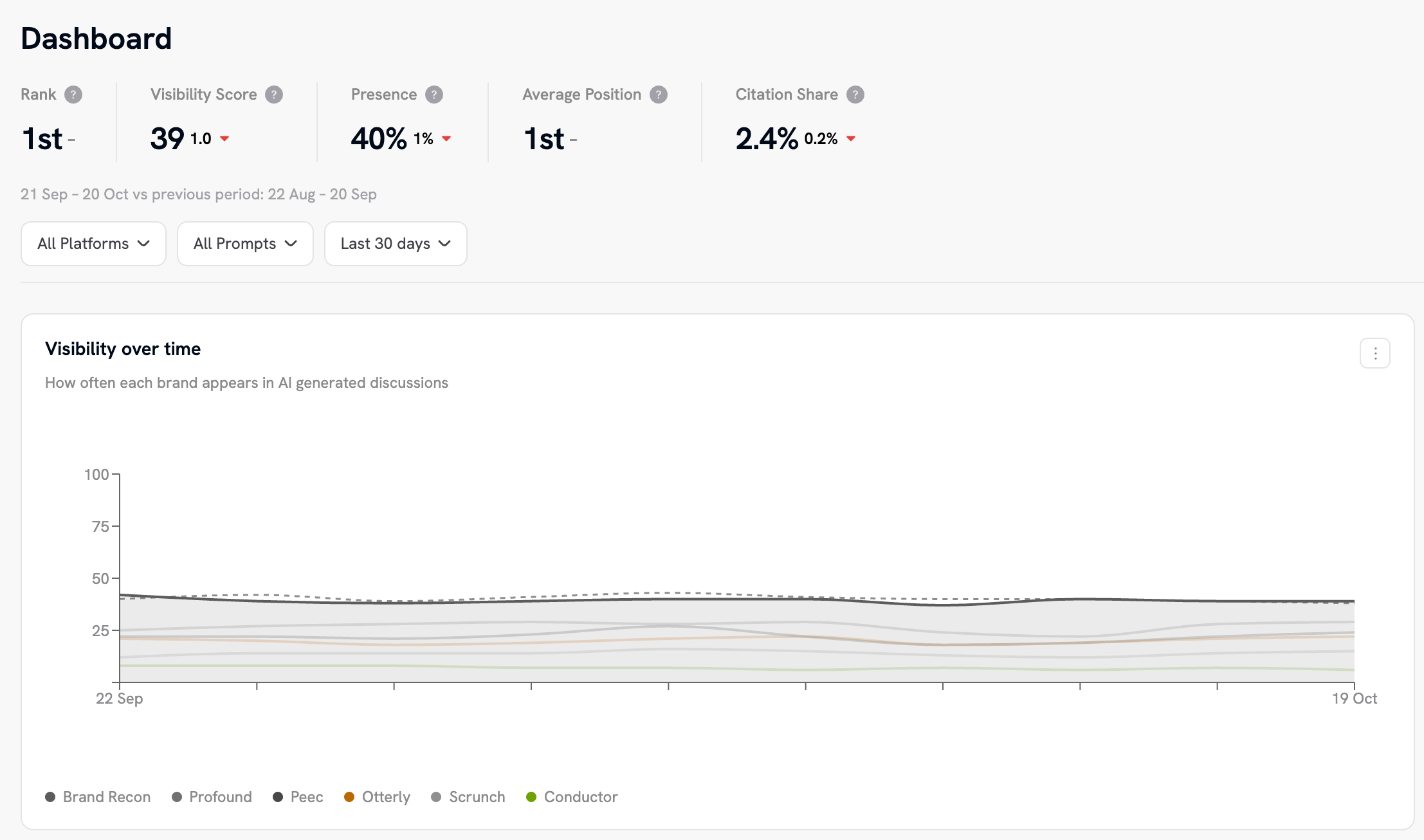
Why results can differ from asking a chatbot yourself. AI answers vary from run to run, and a single chat can be shaped by personalisation, memory and location. Brand Recon tracks many prompts, groups them into topics and averages across runs, so trends are more reliable than any one response. Read the direction of a metric over weeks, not a single day. Reading your data shows how to do this in the dashboard.
Create your first project
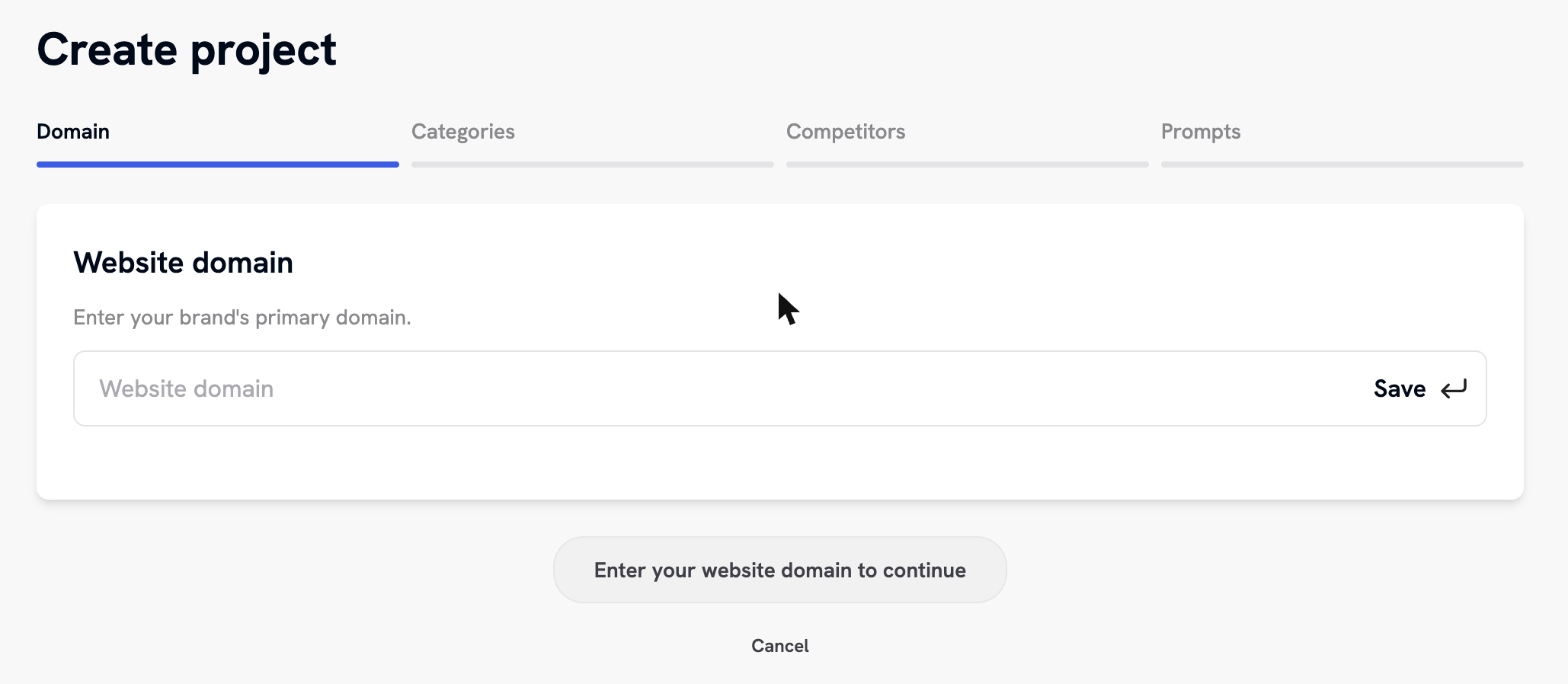
- Sign in at app.brandrecon.ai and select Create Project on the All Projects page. The builder has four steps, shown as a progress bar: Domain, Categories, Competitors and Prompts.
- Domain. Enter your brand's primary website domain. Brand Recon uses it to suggest the rest of the setup.
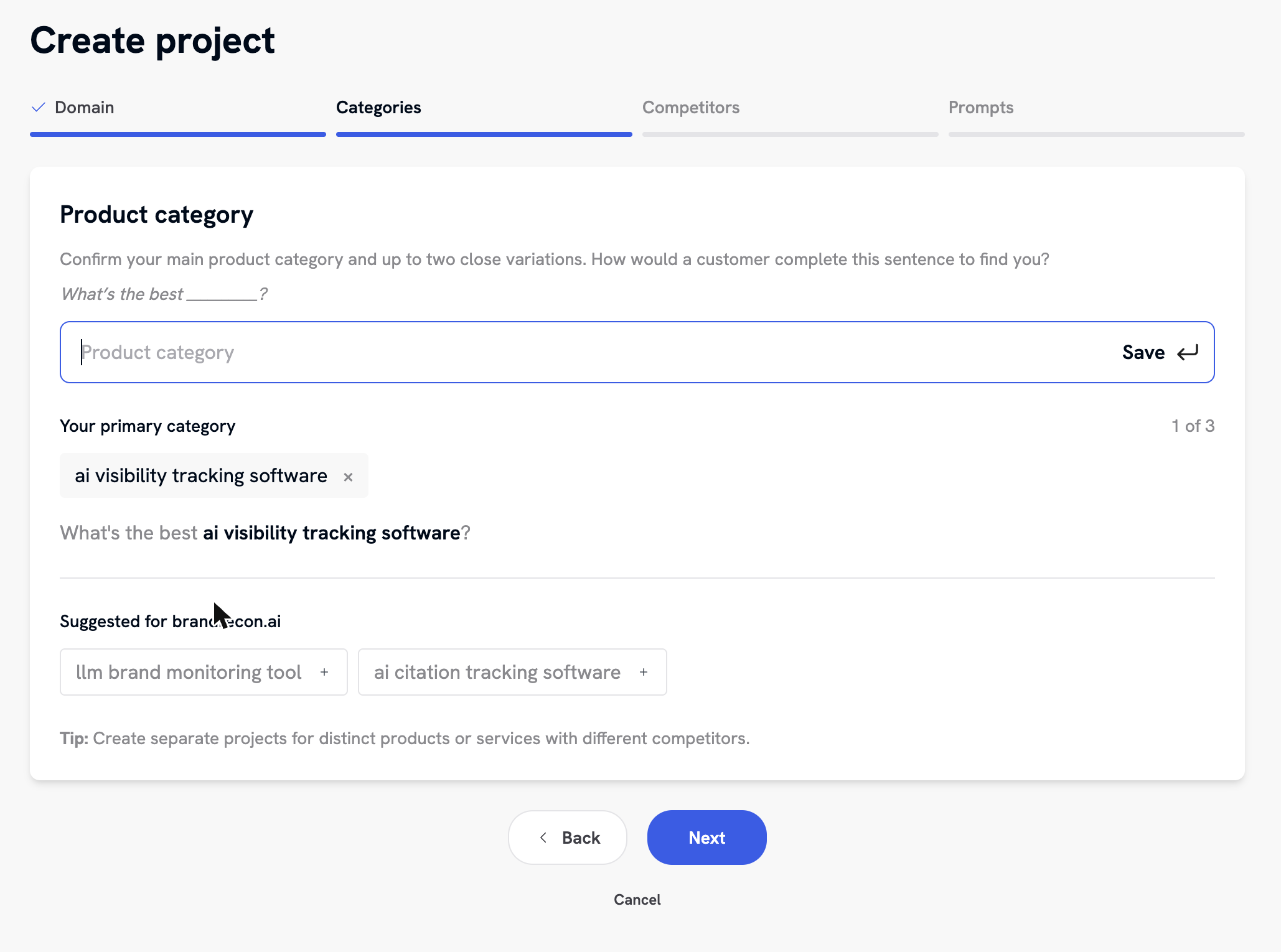
- Categories. Confirm your main product category and up to two close variations. Complete the sentence "What's the best ____?" the way a customer would when looking for you. Brand Recon suggests options based on your domain, or you can type your own.
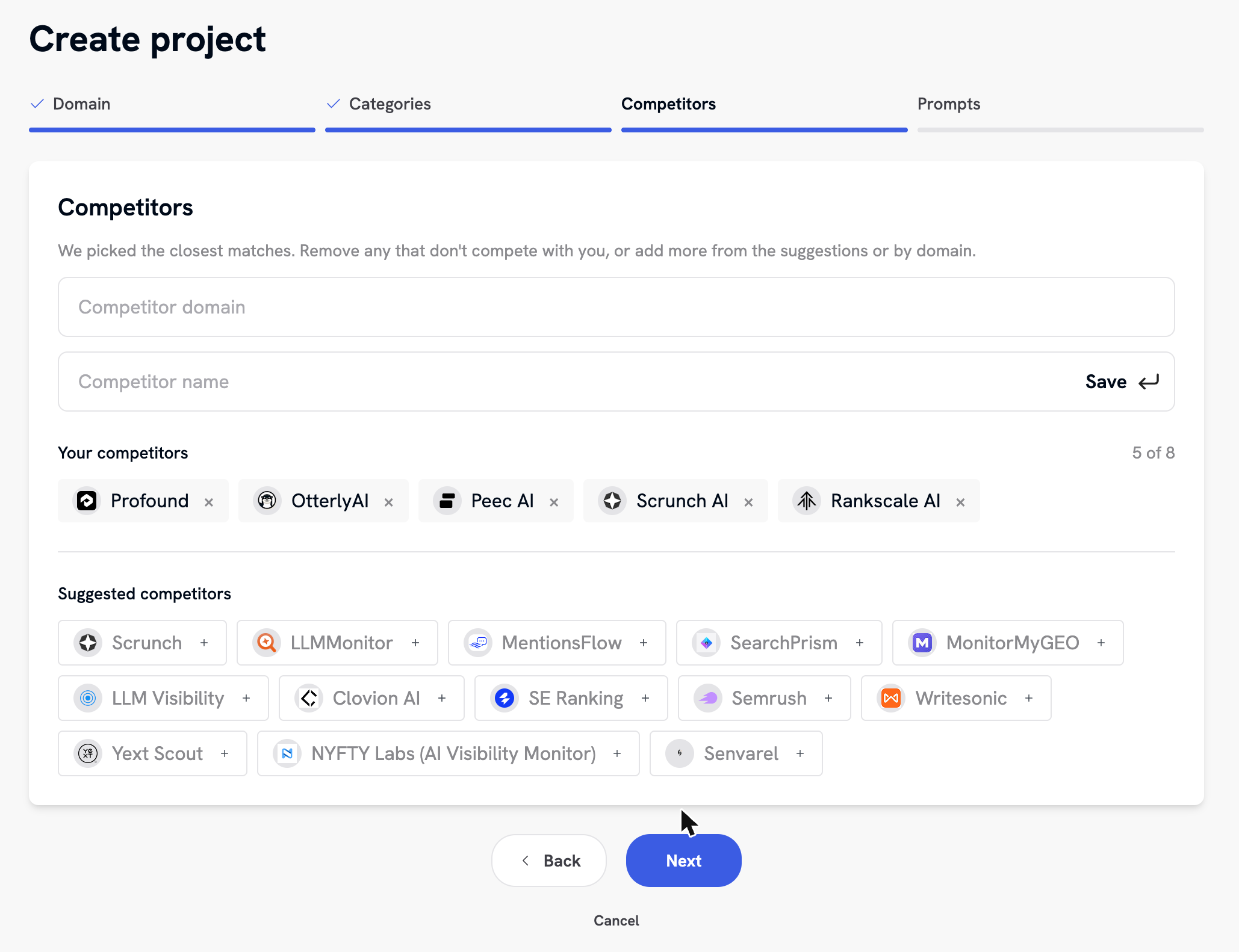
- Competitors. Brand Recon pre-selects the closest matches. Remove any that don't compete with you, and add others from the suggestions or by domain or name. A project can have up to 8.
- Prompts. Review the prompts Brand Recon generated from your answers, for example 69 prompts across 18 topics. They are grouped by topic, with discovery and comparison prompts first and branded prompts after. Edit or delete any prompt, or add your own. A counter shows how many prompts you've used against your plan's limit.
- Select Create project to start tracking. Your first AI Visibility Report arrives within minutes, and the first report is free. A paid plan keeps tracking running (see pricing).

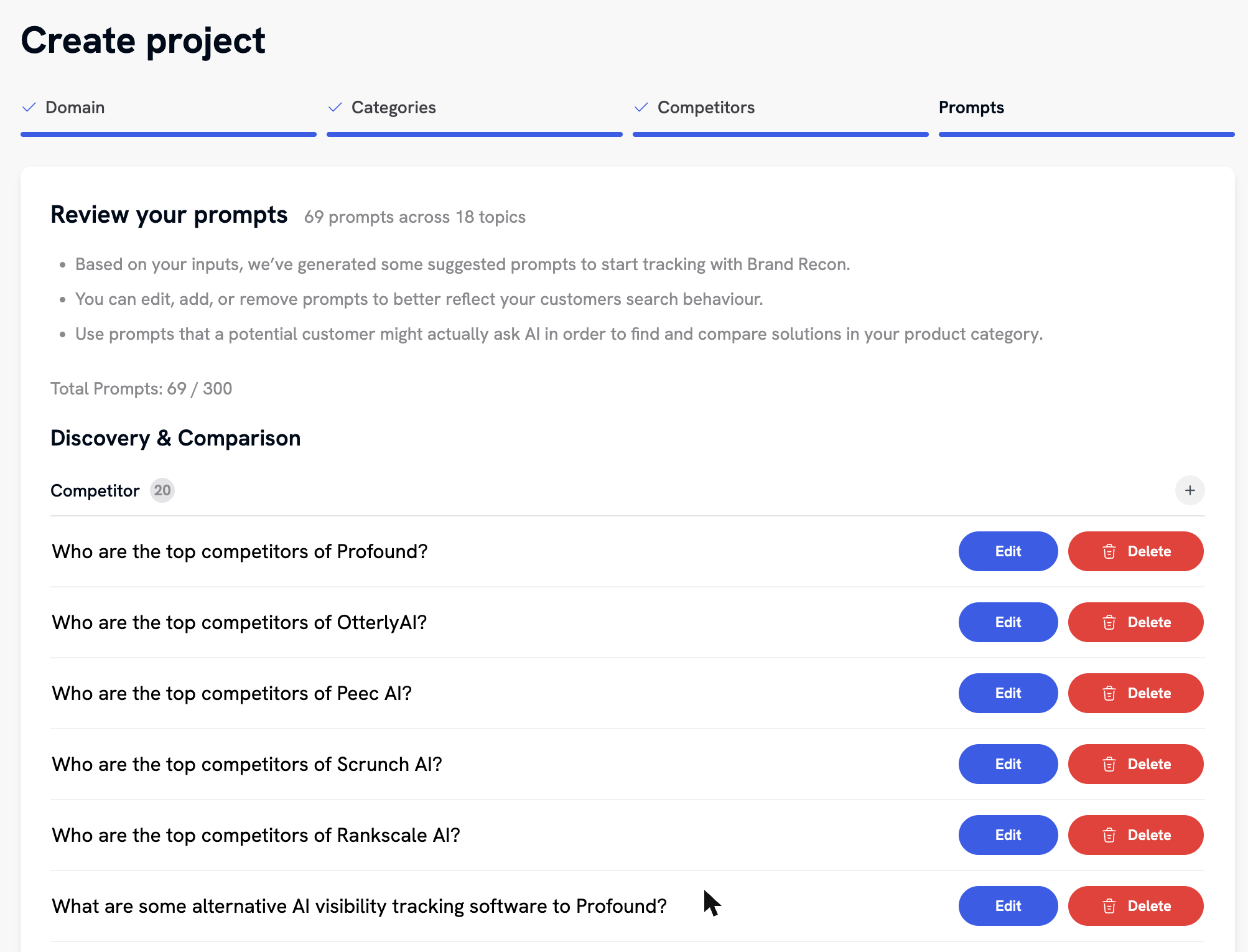
A project covers one brand. If you have separate products with different competitors, create one project for each. To fine-tune prompts, topics and competitors afterwards, see Setting up your tracking.
Core concepts
| Term | What it means |
|---|---|
| Project | One brand being tracked, with its own competitors, prompts and topics. |
| Prompt | A question asked of the AI platforms, such as "What's the best AI visibility tool for marketing agencies?". Each prompt is marked Brand (it names your brand) or Non Brand. |
| Topic | A group of related prompts, such as Integrations or Price. Topics give steadier numbers than individual prompts. |
| Competitor | Another brand tracked alongside yours. A project can track up to 8. |
| Visibility Score | A score from 0 to 100 that reflects both presence and position. First place scores 100, each place lower scores less, and a brand that doesn't appear scores 0. Calculated as 100 - ((position - 1) x (100 / total brands)), rounded to the nearest whole number. With 6 tracked brands, 1st place scores 100, 2nd scores 83 and 3rd scores 67. |
| Presence | The percentage of AI responses in which your brand is present. |
| Average Position | Where your brand tends to sit when it is mentioned (1st, 2nd, 3rd). |
| Sentiment | The split of positive, neutral and negative mentions of your brand. |
| Citation Share | The percentage of web-source URLs in AI answers that sit on your own domains. |
| Rank | Your position among all tracked brands, ordered by Visibility Score. |
| Citation vs source | A citation is a URL the answer links to directly. A source is a page the platform retrieved to inform the answer without linking it. |
| Change arrows | The arrow beside a figure in any table shows the change between the selected period and the comparison period. |
Ready to go further? Next, read Setting up your tracking, or connect your data to an AI assistant with The MCP connector.